How It Works

Five Steps. One Path.

Blue Collar Pay is one path in five steps — the same path whether you build it yourself or I build it with you. Know what it costs. Price the work. Train your team. Share the win. See how it's going. Here's each step: what you do, what you need on hand, about how long it takes, and how you know it's done.

  1. See your numbersThe calculator on the home page
  2. Understand the five stepsYou're here
  3. Pick your way inDo it yourself, or I build it with you
  4. Sign up30 days free, no credit card
  5. Your first 30 daysWeek by week
01
Foundation

Know what it costs

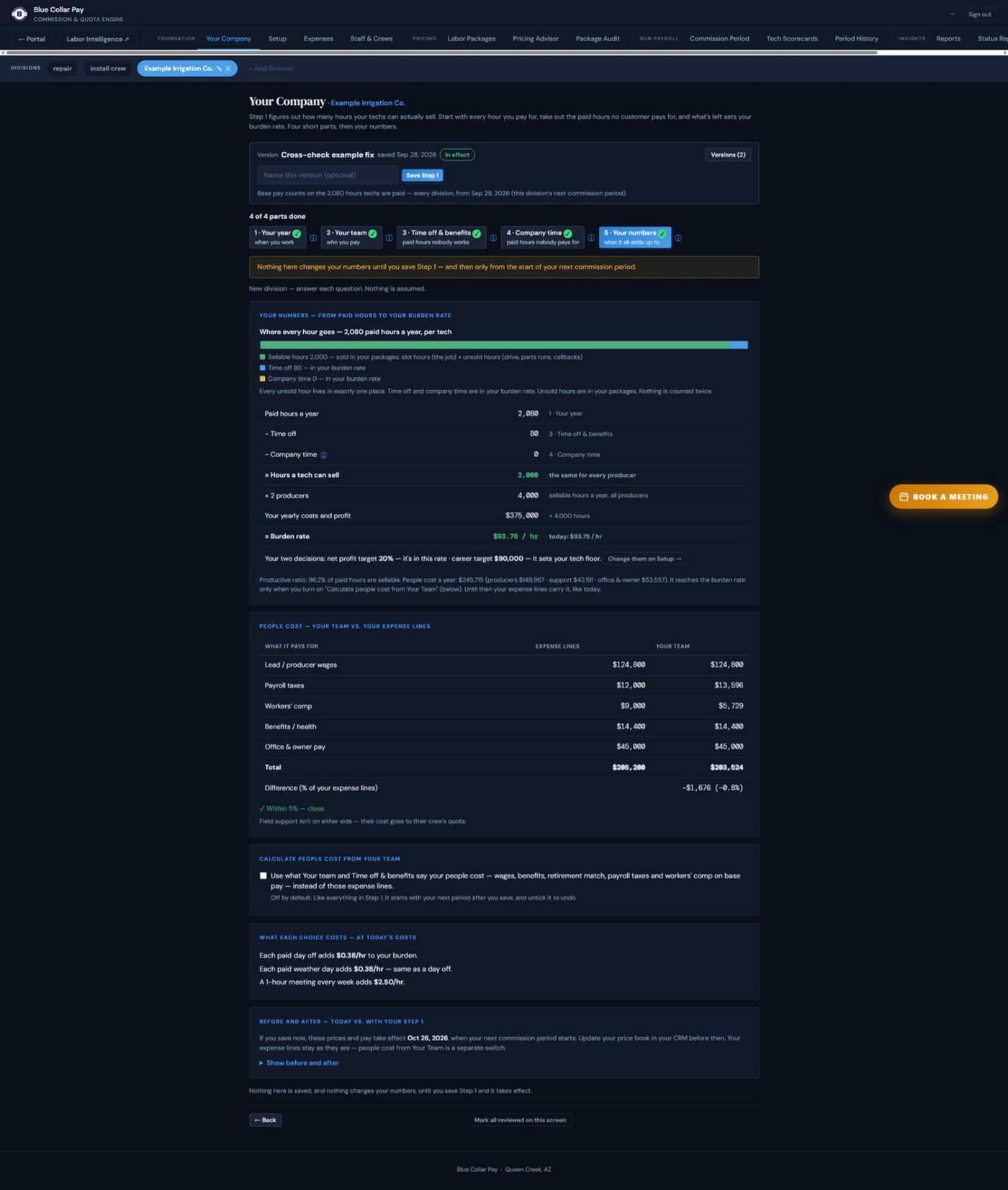
Tell BCP how your company runs — your people, their pay, your time off and your expenses — and it works out what every hour of a tech's day costs you.

Step 1 has four short parts — Your year, Your team, Time off & benefits, Company time — then Your numbers. In your portal: Open Your Company. Also: Setup · Expenses · Staff & Crews · Growth Plans.

What you need on hand
Your P&L, payroll register, crew roster and the rest of the document list.
About how long
Week 1 of your first 30 days.
Done when: your Step 1 is saved on Your Company, and Setup shows a burden rate for every division.
Foundation screen in the Blue Collar Pay portalYour Company — Your numbers (example company). Tap to see the whole screen.
02
Pricing

Price the work

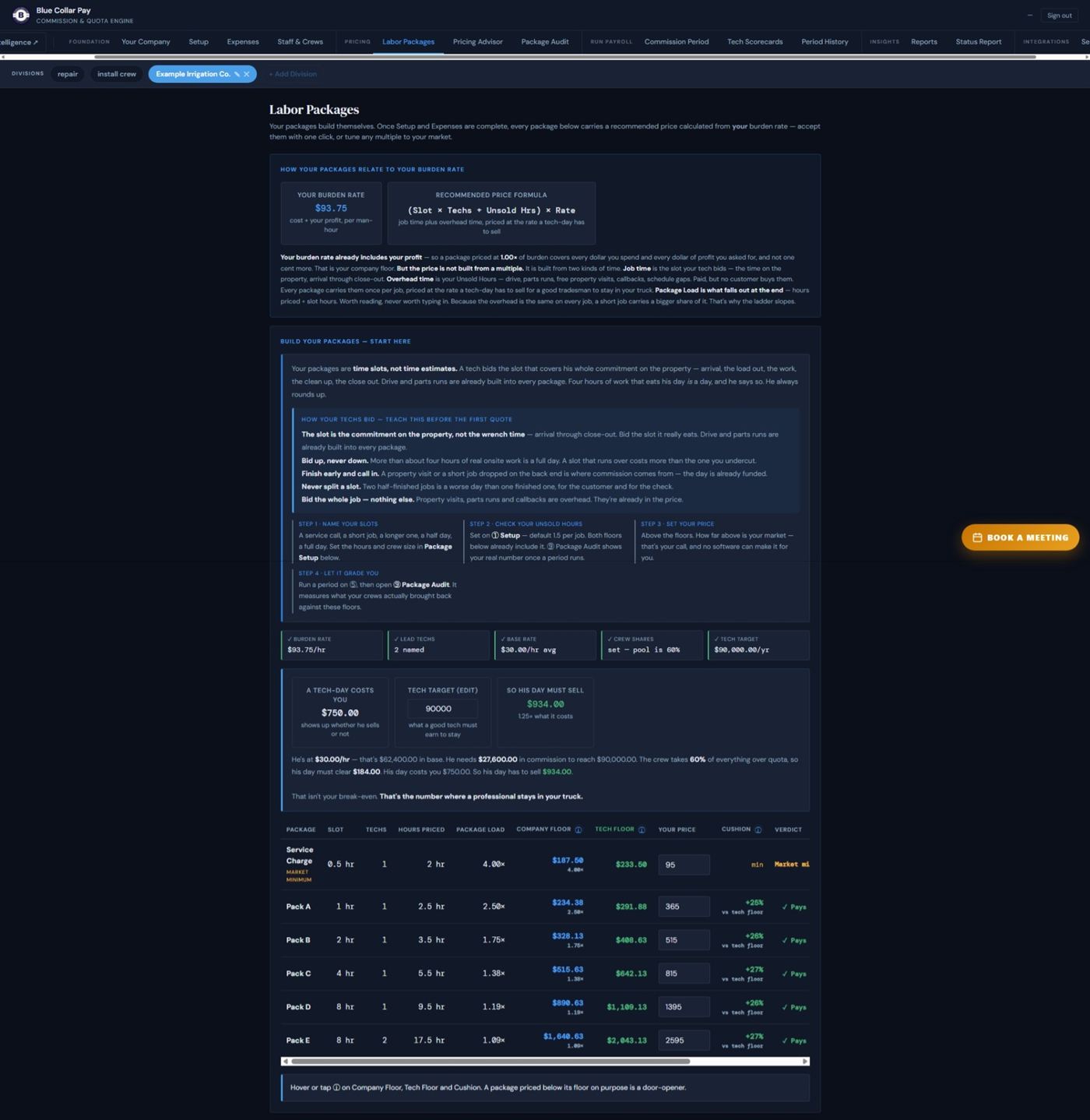
Build your labor package ladder — Service Charge through Pack E — priced above what the day costs you.

In your portal: Open Labor Packages. Also: Pricing Advisor · Package Audit. Each package shows a company floor (covers every cost and your profit) and a tech floor (also pays your tech's career target). The cushion is how far your price sits above the tech floor.

Service Charge½ hr · 1 tech
Pack A1 hr · 1 tech
Pack B2 hr · 1 tech
Pack C4 hr · 1 tech
Pack D8 hr · solo full day
Pack E8 hr · two-man full day
What you need on hand
Step 1 saved, with a burden rate showing. Your current price list and the price book in your CRM.
About how long
Week 2 of your first 30 days.
Done when: every package on your ladder has a price, and every one clears its floor.
Pricing screen in the Blue Collar Pay portalLabor Packages — the ladder, with company floor, tech floor and cushion (example company). Tap to see the whole screen.
03
Field

Train your team

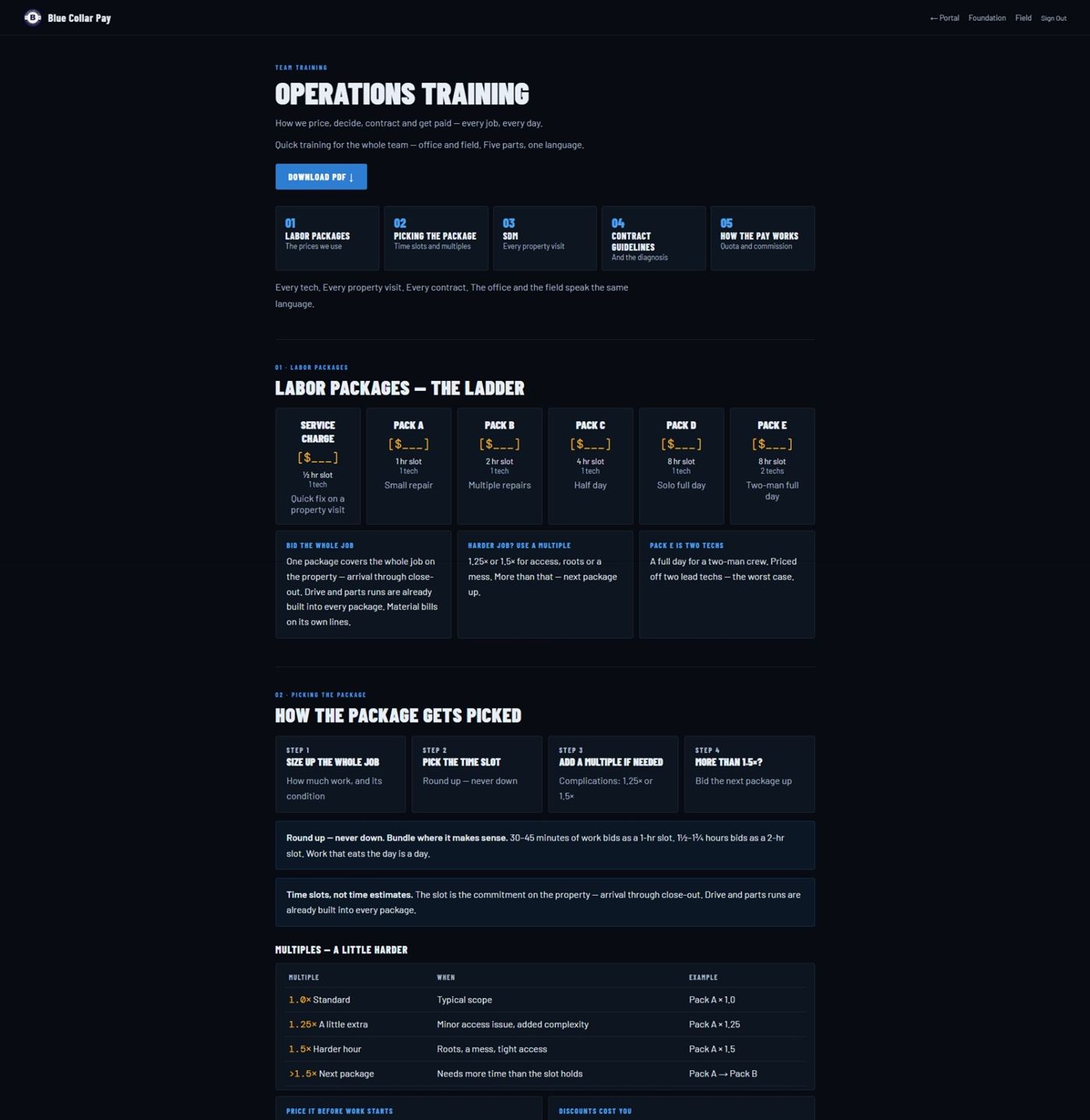
Teach your techs one way to size up a property, pick the package and build the contract — the same way, every visit.

In your portal: Open Team Training. Also: SDM Field Guide · Workflow Builder · SOP Builder · SDM Training. Your crew learns the ladder, picking the package, the SDM, contract guidelines and how pay works.

What you need on hand
Your priced ladder, and your crew together for a live session.
About how long
Week 3 of your first 30 days.
Done when: every tech has gone through the Team Training and bids off your ladder.
Field screen in the Blue Collar Pay portalTeam Training — the ladder, picking the package, the SDM, contract guidelines and how pay works. Tap to see the whole screen.
04
Run Payroll

Share the win

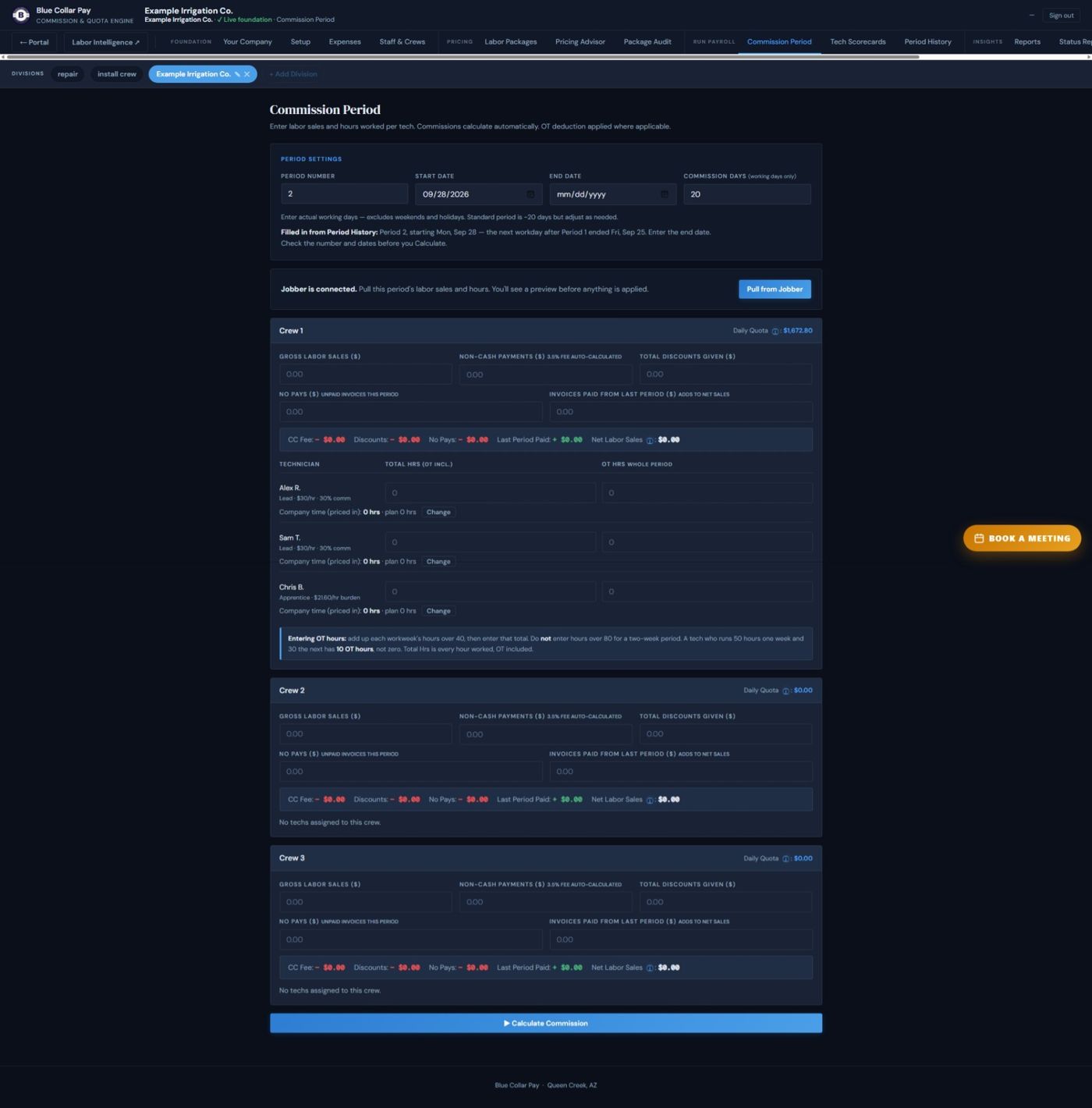
Each period, enter each crew's labor sales and hours. BCP works out every crew's quota, the commission and the 60/40 split.

In your portal: Run the Period. Also: Tech Scorecards · Period History. The period number and start date fill in for you from Period History. Over quota, 60% goes to the crew and 40% to the company.

What you need on hand
Each crew's gross labor sales from your CRM. Card payments, discounts, no-pays and invoices paid from last period. Every tech's total hours, overtime included.
About how long
Every commission period. Your first one is Week 4.
Done when: the period is calculated and every crew has its scorecard.
Run Payroll screen in the Blue Collar Pay portalCommission Period — sales and hours in, quota and commission out (example company). Tap to see the whole screen.
05
Insights

See how it's going

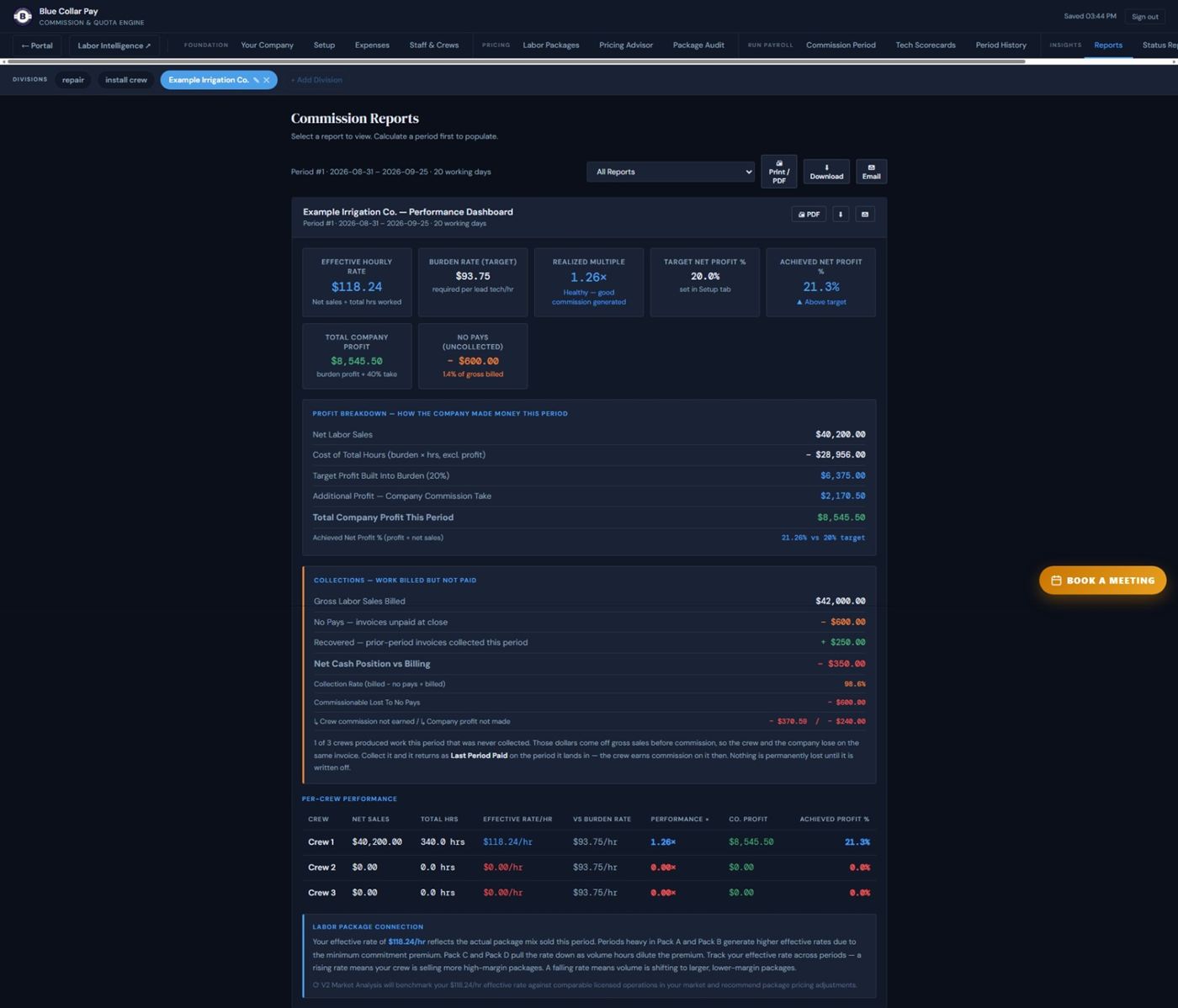
Once the period's numbers are in, see how the company, each crew and each tech are doing.

In your portal: Open Reports. Also: Status Report. Each crew's labor sales are shown against its quota for the period — ahead or behind, in dollars and percent.

What you need on hand
A calculated period.
About how long
Every period, once the numbers are in.
Done when: you've read the period's report and know which crews are ahead and which are behind.
Insights screen in the Blue Collar Pay portalReports — the company, each crew and each tech (example company). Tap to see the whole screen.
Reading your numbers

One Example Company, All The Way Through.

This is the same example the Client Guide uses inside your portal. Every number below comes out of the engine, not a spreadsheet.

One example company all the way through: two lead techs at $30 an hour, each on 30% commission, one helper, a $90,000 career target.

Tech-hour and tech-day. Burden rate $93.75 an hour. A tech-day (8 hours) costs $750 — whether he sells or not.

What his day must sell. His base pay is $30 × 2,080 hours = $62,400. To reach $90,000 he needs $27,600 in commission. Commission is 60% of what the crew sells over quota, so his day has to sell $934.

Quota. Quota = burden rate × hours worked, plus your helper's cost for his hours. Company time (meetings, shop, training) doesn't count against it — it's already in the burden rate.

Net labor sales. Gross labor sales, minus card fees (3.5% of what's paid by card, not of everything), discounts and no-pays, plus invoices paid from last period. Commission is figured on net.

The 60/40. Over quota, 60% goes to the crew and 40% to the company. In one 20-day period: net sales $40,200, quota $35,331, $4,869 over. The crew's 60% is $2,921.40; each lead's 30% is $1,460.70 before overtime. Each lead worked 10 overtime hours, so his check after the overtime adjustment is $1,349.25 — that's the number on his screen. The company's check is $2,170.50.

Your day's multiple. Labor sold ÷ tech-day quota.

  • 1.00× = quota: base pay, no commission yet.
  • 1.25× = career pace ($934 ÷ $750). Sell that every day and you hit the career target.
  • On your reports, the Realized Multiple is the same measure over a whole period.

Your scorecard shows each crew's labor sales against its quota for the period — ahead or behind, in dollars and percent.

Judge the day, not the package

Each package is priced as if it were its own trip — its own drive, its own parts run. Real days aren't built that way. So judge the day:

Pack C + Pack A = $815 + $365 = $1,180 in one day ÷ $750 = 1.57× — well above the 1.25× pace.
  • Door-openers. The Service Charge and Pack A open the door. The bigger packages carry the day.
  • Slots are commitments, not stopwatch time. Finish early, and the office fills the gap.
The operating system

Flat Rate. Techs Sell Products, Not Time.

Scope of work maps to a labor package. The package has a flat price. Materials are added separately at your markup. The clock is irrelevant.

✕ Time-based

Tech says "about 2 hours" — the customer negotiates.

Slow techs bill more. Fast techs earn less.

No predictable revenue — every job is a guess.

Hard to train a new tech the same way.

✓ Flat rate

Scope maps to a package — the price is set.

Faster techs close more, so they earn more.

Predictable revenue: quota, commission, profit.

A new tech learns one ladder and is consistent on day one.

Labor package + (materials × markup) = total invoice

The labor package covers your burden rate, your profit and the tech floor. Materials stay on their own line. The invoice is clean every time.

Why the office and the field stop arguing

A Package Is A Block Of The Day.

A labor package looks like a price. It's also a unit of schedule. When a tech assigns a Pack C, he hasn't estimated four hours of wrench time. He's committed a four-hour block on the property — arrival, load-out, the customer conversation and close-out. The price already carries the unsold hours: drive, parts runs, the free property visit, callbacks. The slot is the commitment, not the billable work.

So the office can build tomorrow out of blocks before a truck rolls — a known block, at a known price, carrying a known margin. Capacity stops being a guess.

A full day, three ways — each price already carries its share of unsold hours
Pack C · 4 hr
Pack C · 4 hr
Pack D · Solo full day
Pack E · Two-man full day
Tech clears two Pack Cs by 2 p.m. — he calls the office and asks for the tail
Pack C · 4 hr
Pack B · 2 hr
Pack A
Visit
Why there's no three-quarter-day package — it strands the back end of the day
6-Hour Slot
Dead tail

That last row is a deliberate design decision. The ladder runs half-hour, one, two, four, full day, and two-man full day — and stops. A six-hour slot leaves a two-hour tail the dispatcher has to scramble to fill, and it lands in the worst part of the day. A full-day package is self-contained.

In the field
"That's a Pack C."

The tech sized up the property, worked the critical factors, picked his strategy and wrote the scope. He knows what he sold and what it pays him.

In the office
"That's a Pack C."

Same three words. The dispatcher hears a block of a day, a set price and a protected margin — all at once. Nothing to translate.

That's what rowing the same direction looks like. The tech who wants a bigger check and the office filling tomorrow's board are doing the same thing — putting one more package into a day that still has room. When a tech finishes early and calls in asking for more work, the system is working. A new hire learns six packages, and on his first ride-along he's speaking the same language as your veteran.

The field method

Size Up. Decide. Then Contract.

The SDM — Strategic Decision-Making Model — gives every tech the same loop at every property.

1 · Size-UpRead the property before opening the tool bag. What are we dealing with?
2 · Critical FactorsCustomer — can they authorize and pay? Trade awareness — is the scope within our capability? Request for service — is this a real, billable opportunity?
3 · Strategic DecisionOffensive — present the package and close. Defensive — protect the company and walk. Both are trained. Neither is wrong.

Read the SDM Training →

Your CRM

Keep How You Bid. We Pull The Labor.

Already pricing flat-rate, time-and-material, lump-sum, or bundling materials into one number? You don't rebuild a thing. Map each item once — how much is parts, how much is labor — and Blue Collar Pay works out true labor sales from the sales report you export from your CRM: labor sold, hours sold, hours worked, card-paid labor, paid vs. outstanding.

Manual sales-report upload works on any CRM today. We connect Jobber during onboarding — after that it's a Pull button in your portal each period. ServiceTitan is built and in pilot. Housecall Pro is next. See the CRM integrations →

What next

Know What Happens Next.

What it costs → Do it yourself at $150/mo, or I build it with you.
Your first 30 days → Week by week, for both ways in.
How The System Works → The why behind the five pieces — burden rate, packages, quota, the split and reporting.

Ready when you are

Start Free. Or Talk To Me First.

30 days free, no credit card, full access. Or book 60 minutes on video and we'll look at what a tech-day is really costing you.

Book a Meeting